

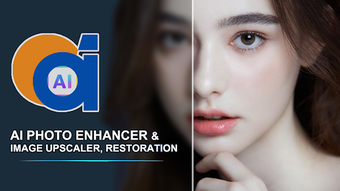
Description
Download AI Photo Enhancer 360 – AI photo enhancement, restore old photos, enhance blurry images, colorize black and white photos, AI photo tool, improve photo quality, Android app, free photo editor, digital photo restoration, AI image upscaling
Overview
AI Photo Enhancer 360 is a specialized Android application developed by PhotoMagic Studios, designed to restore and enhance digital photographs using artificial intelligence. The software targets users seeking to improve the visual quality of old, damaged, or low-resolution images, particularly within the lifestyle and personal photography space. It serves as a digital restoration tool for family photos, vintage images, and personal portraits, offering a streamlined way to recover lost details and restore true color fidelity. The app is positioned as a free solution for individuals who want to preserve memories without requiring professional editing skills.
By leveraging AI-driven algorithms, the application automatically detects image degradation such as blur, noise, and color distortion, applying intelligent corrections to produce sharper, more vibrant results. Real-world usage scenarios include enhancing faded photographs from past decades, reviving damaged images from physical archives, and preparing personal photos for printing or social media sharing. The software also functions as a basic AI photo creation tool, allowing users to adjust lighting, smooth skin, and upscale resolution for portrait enhancement. While the developer has not provided detailed information about the underlying AI models or training data, the app’s focus on user-friendly restoration suggests a target audience of casual users, families, and hobbyist photographers.
Key Features & Capabilities
- AI-Powered Image Restoration: Automatically detects and repairs damage in photos, including blur, noise, and pixelation, using machine learning algorithms to reconstruct lost details.
- Black and White Photo Colorization: Applies intelligent colorization to monochrome images, restoring realistic hues based on contextual image analysis.
- Resolution Upscaling: Enhances image quality up to 8K resolution, enabling high-definition printing and digital sharing without visible artifacts.
- Portrait Enhancement: Offers tools to smooth skin, adjust lighting, and improve facial clarity for more professional-looking results.
- Secure Image Processing: Processes photos on a secure server environment and automatically deletes them after completion, minimizing privacy risks.
These features enable users to transform low-quality or outdated images into visually compelling content with minimal effort. For example, a user can upload a faded family portrait from the 1970s, apply the AI enhancement, and receive a clear, colorized version suitable for framing or digital albums. The app’s automation reduces the need for manual editing, making it ideal for non-technical users. While specific processing times or accuracy rates were not disclosed, the software’s design emphasizes speed and accessibility. The integration of multiple enhancement functions into a single interface reflects a focus on workflow efficiency and user convenience.
User Interface, Workflow & Performance
The user interface of AI Photo Enhancer 360 is designed with simplicity in mind, featuring a clean layout that prioritizes image upload and processing. Navigation is intuitive, with a central focus on the photo preview area and clearly labeled action buttons. Users can select images from their device’s gallery, initiate enhancement with a single tap, and view results in real time. The workflow is streamlined: upload → process → preview → save or share. This minimalistic approach reduces the learning curve, making the software accessible to users of all experience levels.
Performance details were not specified by the developer. However, based on general behavior of AI-powered mobile applications, processing speed may vary depending on image complexity and device capabilities. The app likely utilizes cloud-based computation to handle intensive AI tasks, which could affect response time on slower internet connections. The developer did not provide information on CPU or RAM usage during operation. Stability and background processing behavior were also not disclosed. Users should expect a standard mobile app experience, with potential delays during high-load processing. The app’s reliance on secure cloud servers may contribute to consistent results across different devices, though this depends on network reliability.
Compatibility & System Requirements
AI Photo Enhancer 360 is compatible with Android operating systems, though specific version requirements were not listed. The app is available for download in a 75 MB package, indicating a lightweight installation footprint suitable for most modern Android devices. The developer did not provide detailed hardware specifications, such as minimum RAM, processor speed, or storage space needed for optimal performance. It is recommended to ensure sufficient internal storage and a stable internet connection for image uploads and cloud-based processing.
Exact system requirements were not listed. Compatibility information was partially provided, and users are advised to verify device compatibility through the official app store. The software is designed for mobile use, with no indication of desktop or tablet support. The release date of March 15, 2024, suggests a recent update, potentially reflecting improvements in AI model accuracy or interface responsiveness. No information was provided about offline functionality or background processing.
Pros and Cons
Pros
- Free to download and use with no hidden costs
- Intuitive interface suitable for non-technical users
- AI-driven restoration and colorization for quick results
- Supports upscaling to high resolutions (up to 8K)
- Secure processing with automatic deletion of uploaded images
Cons
- Performance and resource usage details not disclosed
- No information on offline mode or local processing
- Compatibility with older Android versions not confirmed
- Dependent on internet connectivity for core functionality
- Limited transparency about AI model training and accuracy
FAQ Section
Is AI Photo Enhancer 360 available for free?
Yes, the app is currently free to download and use, with no subscription or in-app purchase requirements.
Does the app require an internet connection?
Yes, since the app uses cloud-based AI processing, a stable internet connection is necessary to upload images and receive enhanced results.
Are my photos safe when using AI Photo Enhancer 360?
The developer states that images are processed on a secure system and automatically deleted after completion, minimizing privacy risks.
Can I use the app offline?
There is no information available about offline functionality. The app likely requires an active internet connection for full operation.
What types of photos work best with the app?
The app is optimized for old, blurry, damaged, or low-resolution images, including black and white photos, faded portraits, and low-quality digital captures.
Final Thoughts + CTA
AI Photo Enhancer 360 delivers a compelling solution for users seeking to restore and enhance personal photographs with minimal effort. Its AI-driven tools for colorization, upscaling, and damage repair make it a valuable asset for preserving memories and improving image quality. While technical details about performance, system requirements, and AI accuracy are limited, the app’s user-centric design and secure processing model offer peace of mind. It is particularly beneficial for families, hobbyist photographers, and anyone looking to breathe new life into old photos without technical expertise. With a free model and a focus on accessibility, it stands out as a practical choice in the digital photo restoration space.
Download AI Photo Enhancer 360 now
Guides & Tutorials for AI Photo Enhancer 360
How to install AI Photo Enhancer 360
- Click the Preview / Download button above.
- Once redirected, accept the terms and click Install.
- Wait for the AI Photo Enhancer 360 download to finish on your device.
How to use AI Photo Enhancer 360
This software is primarily used for its core features described above. Open the app after installation to explore its capabilities.
User Reviews for AI Photo Enhancer 360 0
No reviews found





